

Make ImagineMate feel like your workspace
Choose a theme, light or dark appearance, reading fonts, and an independent conversational tone for the assistant.
Themes and typography
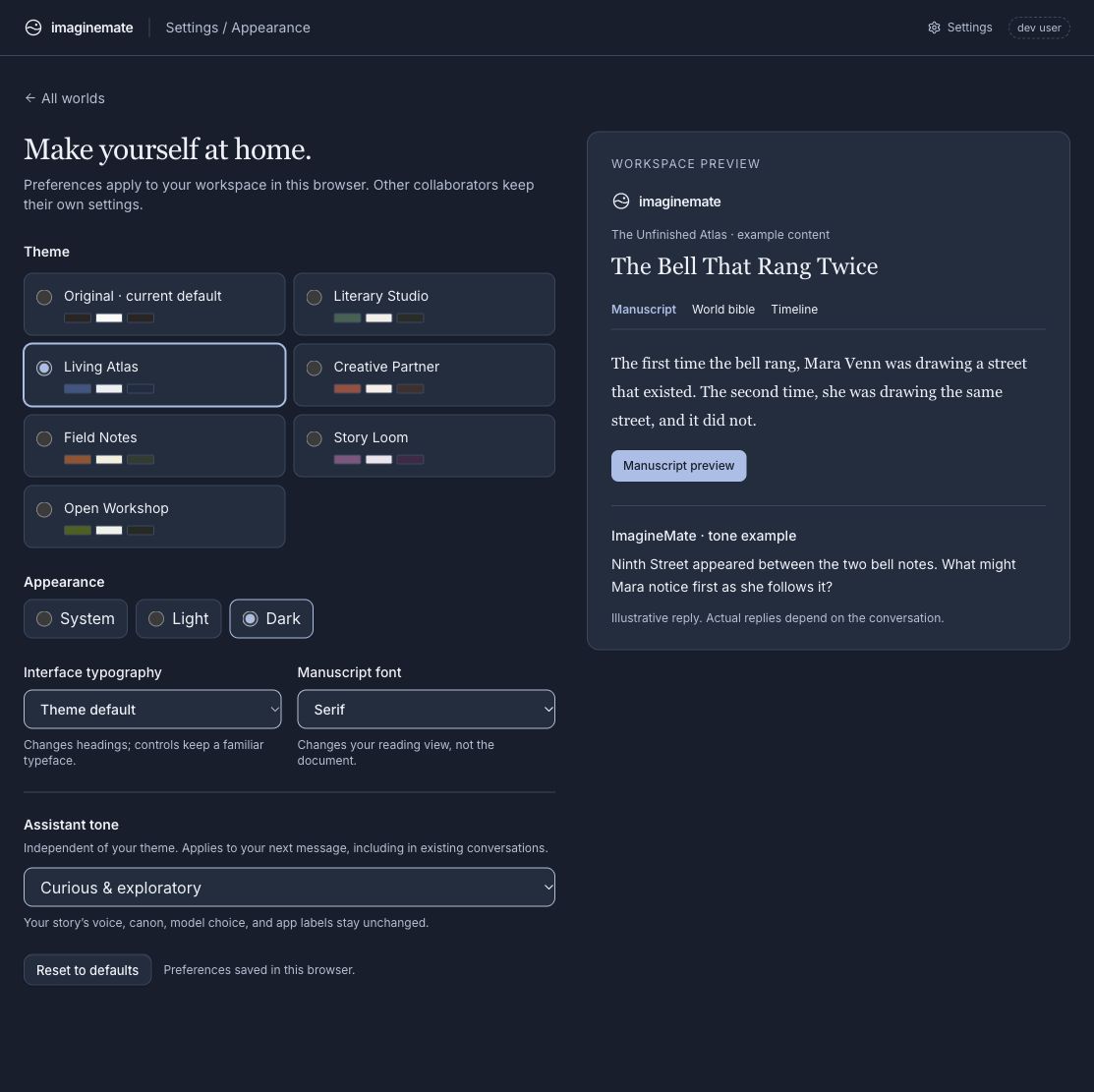
Open Settings → Appearance to choose Literary Studio, Living Atlas, Creative Partner, Field Notes, Story Loom, or Open Workshop. You can keep the existing look with Original, which remains the default.
Choose System, Light, or Dark independently of the theme. Override the heading style and manuscript reading font without changing your documents or what collaborators see. Preferences apply immediately and are saved in this browser.
A tone that suits you
Choose a clear, reflective, curious, or encouraging conversational tone. The choice applies to the next message you send, including in existing conversations. It does not change the model, rewrite earlier replies, alter your manuscript’s voice, or change canon and permission rules. App labels stay consistent.
No action is required to keep your current appearance. Use Reset to defaults to return to it later. These are browser preferences; they do not sync to another device. Read more about appearance and assistant tone.